
Do you ever have an idea for a website but you stop thinking you’ll have to learn complicated coding?
You’re not alone.
For years
Developing a website required mastering complex systems and technical languages.
However- the situation is completely different now.
In this article you’ll Understand How to Build a Website Without Coding using simple tools and an easy process.
Without writing a single line of code.
The Biggest Myth About Building a Website
The most common misconception is that building a website requires coding knowledge.
This was true before. Developers needed to Learn:
1- HTML
2- CSS
3- JavaScript
This was challenging and time-consuming work.
The Reality Today
You no longer need to know coding thanks to Content Management Systems (CMS).
Using a CMS is like having your own personal coding assistant – it handles all the technical tasks in the background so you can focus on things like:
– Your ideas
– Your content
– Your design
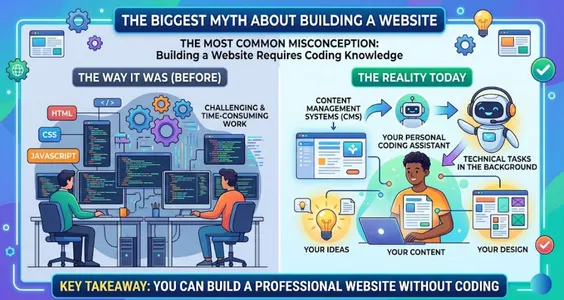
Key takeaway: You can build a professional website without coding.
The 2 Essential Things Every Website Needs
Before building a website you need to set up two basic elements – just like setting up any physical property.
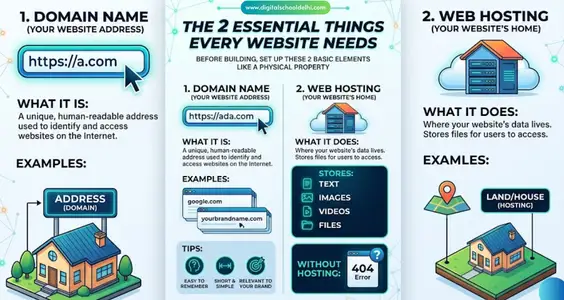
1- Domain Name (Your Website Address)
A domain name is an address that can be read by humans and is used to identify and access websites on the Internet. It serves as a unique identifier for a particular website- making it easier for users to browse the Internet by simply typing or clicking on some well-known name such as:
Examples:
– google.com
– yourbrandname.com
It’s what people type into their browser to find your site.
Tip: Choose a domain name that is:
– Easy to remember
– Short and simple
– Relevant to your brand
2- Web Hosting (Your Website’s Home)
Web hosting is where your website actually lives.
It stores:
– Text
– Images
– Videos
– Files
Without hosting, your domain name would lead to an empty page.
Think of it like this:
– Domain = Address
– Hosting = Land/House
The Power Tool That Makes Everything Easy
Now it’s time for the most important part—the tool you use to build your website.
What is a CMS?
Using an easy-to-use interface, a content management system (CMS) enables you to design and maintain a website.
Instead of coding, you can:
1- Click buttons
2- Add pages
3- Upload images
4- Publish content
Why WordPress is the Best Choice for Beginners
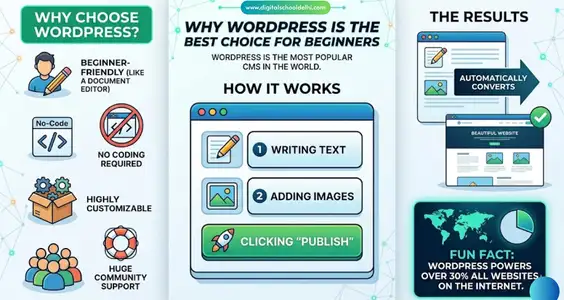
The most popular CMS in the world is WordPress.
Why Choose WordPress?
1- Beginner-friendly (like using a document editor)
2- No coding required
3- Highly customizable
4- Huge community support
Fun Fact: WordPress powers over 30% of all websites on the internet.
How It Works
Using WordPress is as easy as:
– Writing text
– Adding images
– Clicking “Publish”
And it automatically converts everything into a fully functional website.
Make Your Website Look Professional with Themes
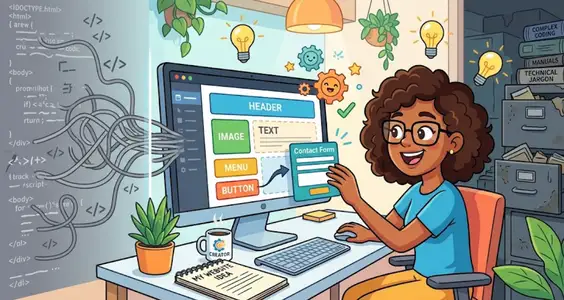
Designing your website is the most fun part.
What is a Theme?
A theme is a ready-made design template for your website.
With just one click, a theme can change:
1- Layout
2- Colors
3- Fonts
4- Overall design
Benefits of Using Themes
– No design skills needed
– Instant professional look
– Fully customizable
– Easy to switch anytime
You can find themes for:
– Blogs
– Business websites
– E-commerce stores
– Portfolios
Step-by-Step Plan to Build Your Website
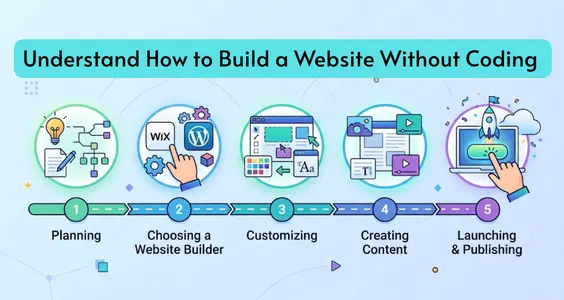
Now let’s put everything together into a simple roadmap.
Step 1: Choose a Domain Name
Pick a unique and brand-friendly name for your website.
Step 2: Buy Web Hosting
Select a reliable hosting provider to store your website data.
Step 3: Install WordPress
Most hosting providers offer one-click WordPress installation.
Step 4: Choose a Theme
Select a design that matches your vision and customize it.
Step 5: Add Content
Start creating:
– Pages (Home, About, Contact)
– Blog posts
– Images and videos
Final Thoughts
Creating a website is no longer difficult.
You don’t need to hire an expensive developer or learn coding. Anyone can create a live website using technologies like WordPress.
Now there’s only one thing left to do: take action.
So what are you waiting for? Put your idea online today!